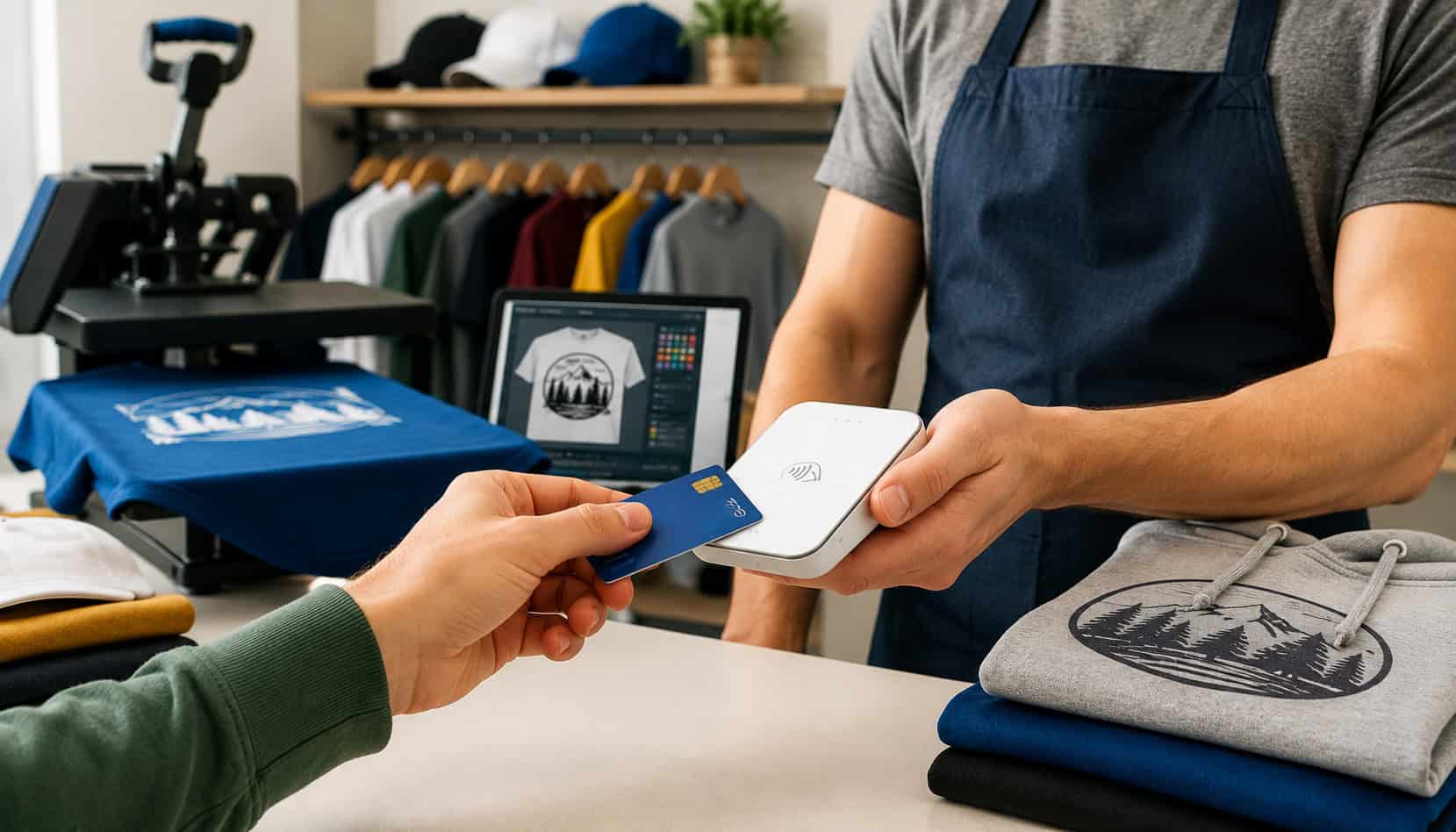
Apparel decorators sell in more places than ever: embroidery studios, screen printing shops, heat press workspaces, trade shows, pop-up shops, school events, sports tournaments, corporate offices, and delivery routes.
That flexibility creates a simple challenge: customers need convenient ways to pay wherever the order begins, changes, or gets completed.
That is where mobile credit card readers for apparel decorators become valuable. A mobile reader can help you collect a deposit for embroidered polos, charge for screen printed team shirts at an event, take a final balance during pickup, or send a payment link after a customer approves artwork remotely.
For custom apparel businesses, payment timing matters. Blank garments, thread, vinyl, ink, screens, digitizing, setup time, rush labor, and production scheduling all create real costs before the finished order leaves your shop.
When customers can pay by card, mobile wallet, online invoice, or secure payment link, you reduce unpaid balances and keep work moving.
Mobile payment tools also support a more professional customer experience. Instead of asking customers to bring cash, wait for a manual invoice, or send card details through unsafe channels, you can offer secure mobile payments at the counter, at a booth, or on the go.
What Are Mobile Credit Card Readers for Apparel Decorators?
Mobile credit card readers for apparel decorators are portable payment devices that let embroidery shops, screen printers, heat press businesses, vinyl decorators, and custom uniform providers accept card payments outside a fixed checkout counter. They usually connect to a phone, tablet, or mobile POS app through Bluetooth, USB, or a dedicated wireless terminal.
These readers can accept several payment types, including chip cards, swipe cards, tap-to-pay cards, and mobile wallets. Some portable terminals also work without a separate phone or tablet, which can be useful for busy events, delivery routes, or multi-station production spaces.
For apparel decorators, the device is only one part of the system. The mobile POS app behind the reader is just as important. It may allow you to enter custom order notes, add taxes, apply discounts, send receipts, issue refunds, store customer records, create invoices, and review sales reports.
A mobile payment setup can be used for:
- Embroidery business payments at events or in-store
- Screen printing payment solutions for bulk orders
- Heat press and vinyl personalization payments
- Custom apparel payment processing for deposits and balances
- Trade show payments for samples, merch, and future orders
- Pop-up shop payments for finished goods and custom work
- Delivery payments when orders are dropped off
For example, a customer may approve a logo setup at a trade show and pay a deposit through a mobile card reader. Later, your shop can send an online invoice for the remaining balance before production or delivery.
Mobile readers are especially useful because custom apparel sales often happen in stages. A basic retail transaction may be paid in full at checkout, but a decorated apparel order may include quoting, artwork approval, garment ordering, production, pickup, and possible reorders. Mobile POS systems for apparel decorators help connect those steps with reliable payment records.
Helpful resources on related workflows include guides on wireless card readers for mobile embroidery businesses and card-present versus card-not-present payments for embroidery.
Why Apparel Decorators Use Mobile Payment Solutions
Apparel decorator mobile payment solutions help businesses collect money at the moment the customer is ready to move forward. That matters because decorated apparel is often custom, time-sensitive, and hard to resell if the buyer disappears.
A mobile reader lets a shop accept deposits before ordering blanks, digitizing a logo, burning screens, cutting vinyl, or reserving production time. It also helps collect final balances when customers pick up orders, receive deliveries, or approve add-ons such as rush service, sleeve prints, personalization, or extra garments.
Mobile payment processing for custom apparel businesses also improves convenience. Customers may not want to write checks or return to the shop just to pay. With mobile card payments, payment links, and online invoices, you can make payment simple whether the customer is standing in front of you or approving an order remotely.
Here is how mobile readers support common apparel decoration payment scenarios:
| Use Case | How Mobile Readers Help | Business Benefit |
| Trade shows and expos | Accept card and contactless payments at the booth | Capture sales before buyers leave |
| Pop-up shop payments | Sell finished goods, samples, and custom orders on-site | Increase event revenue |
| Deposits for custom orders | Collect partial payment before ordering materials | Protect cash flow |
| Delivery payments | Take final balance when goods are delivered | Reduce unpaid invoices |
| Pickup payments | Let customers tap, insert, or swipe at handoff | Speed up checkout |
| Remote approvals | Send payment links or online invoices | Get paid without waiting for in-person visits |
| Rush orders | Charge rush fees immediately | Confirm priority work before scheduling |
| Reorders | Use saved customer records and past order notes | Make repeat purchases easier |
A mobile payment setup also helps reduce awkward payment conversations. Instead of saying, “We’ll email you later,” you can say, “You can pay the deposit here, and the receipt will go straight to your email.”
For shops with multiple sales channels, mobile POS systems for apparel decorators make it easier to connect booth sales, in-shop payments, online invoices, and delivery collections into one reporting system.
Trade Shows and Pop-Up Events
Trade shows and pop-up events can be excellent sales channels for apparel decorators. Customers can see samples, feel garment quality, compare thread colors, and place custom orders while interest is high. The challenge is that event buyers move quickly. If payment is inconvenient, they may leave and never return.
Mobile credit card readers solve that problem by letting you accept payments at the booth. A customer can pay for embroidered hats, screen printed shirts, patches, tote bags, uniforms, or sample merch without leaving the line. Contactless payments can be especially helpful when crowds are moving fast.
Portable readers also support custom orders that are not completed on-site. You can collect a deposit, record order details, send a digital receipt, and follow up with artwork proofs later. This is far stronger than relying on handwritten notes and unpaid promises.
For events, make sure your mobile POS app can add notes such as garment color, size breakdown, thread color, logo placement, design approval status, and delivery method. These details help prevent mistakes once you return to the shop.
Deposits for Custom Orders
Deposits are critical in custom apparel payment processing because decorators often spend money before the customer receives the final product. Blank garments, thread, stabilizer, ink, vinyl, screens, digitizing, artwork revisions, and labor all create upfront costs.
Portable credit card readers for embroidery businesses make deposit collection easy at the first point of commitment. Whether the customer is in your shop, at a school event, or visiting your trade show booth, you can collect a partial payment immediately and attach that payment to the order record.
Deposits also help filter serious buyers from casual price shoppers. A customer who pays a deposit is more likely to approve artwork quickly, provide missing details, and pick up the finished order on time.
The deposit amount may vary based on order size, customization level, and material cost. Some shops collect a percentage, while others require full payment before production for highly customized work. The key is consistency.
Your invoice or order form should explain:
- Deposit amount
- Remaining balance
- Approval deadlines
- Refund policy
- Production timeline
- What happens if the customer changes artwork or quantities
Delivery and Pickup Payments
Final balances can become a problem when apparel decorators release goods before payment is complete. Mobile card readers help prevent that by allowing payment at pickup, curbside handoff, delivery, or installation-style drop-off.
For example, a school spirit wear order may be delivered to an office, a corporate uniform order may be dropped off at a workplace, or a rush screen printing job may be picked up after hours. A mobile reader allows staff to collect the remaining balance on the spot instead of sending another invoice later.
This is especially helpful when the person receiving the order is not the same person who placed it. A digital invoice, payment link, or mobile checkout record can show exactly what is owed and what has already been paid.
Pickup and delivery payments also create useful documentation. Digital receipts can show payment time, order amount, customer name, and sometimes itemized details. When paired with signed delivery confirmation or pickup notes, they help reduce disputes.
Key Features to Look for in Mobile POS Systems for Apparel Decorators
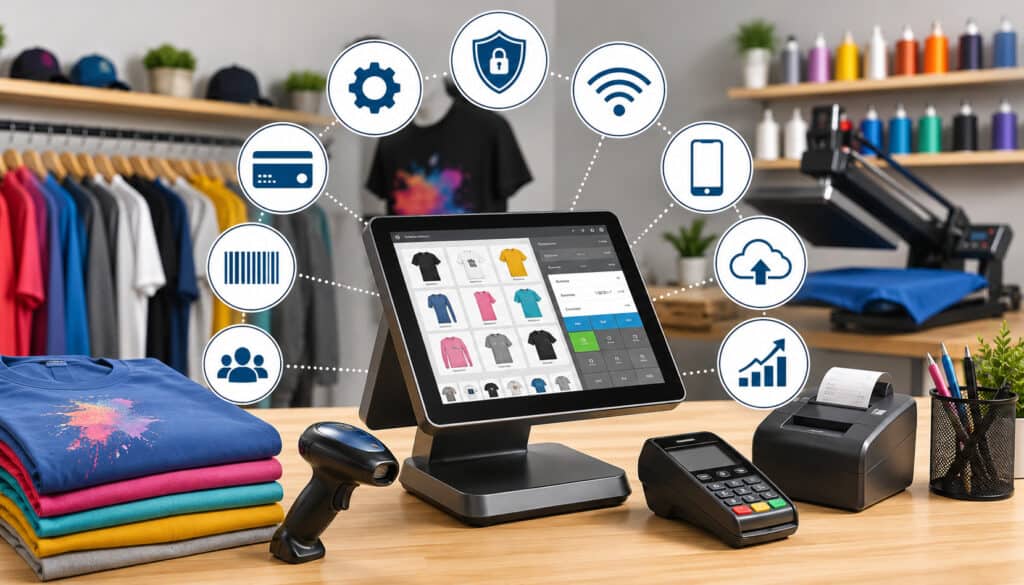
The best mobile POS systems for apparel decorators do more than accept cards. They help manage real-world decorated apparel workflows, where every order may include sizes, colors, garment types, artwork notes, deadlines, approvals, deposits, and final balances.
Start with payment method support. Your reader should accept chip cards, tap-to-pay cards, swipe cards when needed, and mobile wallets. Contactless payments are important because many customers now expect to tap a card, phone, or wearable device.
Next, look at invoicing and payment links. A strong mobile system should let you charge in person and also send secure links for remote deposits, artwork approvals, and final balances. This is essential for customers who place orders by email, phone, website form, social media, or repeat purchase requests.
Customer records are also valuable. If a team, school, contractor, restaurant, or local organization reorders frequently, you want easy access to past order notes, garment preferences, logo placement, and payment history.
Useful features include:
- Chip, tap, swipe, and mobile wallet support
- Secure mobile payments with encrypted card acceptance
- Payment links and online invoices
- Itemized digital receipts
- Refund and void controls
- Tax settings
- Custom order notes
- Customer profiles
- Reporting by date, staff member, location, or sales channel
- Ecommerce or accounting integrations
- Inventory notes for blanks, sizes, and decorated goods
- Staff permissions
- Tip settings if appropriate for live event personalization
- Receipt printer or email/text receipt options
For custom apparel businesses, reporting should be practical. You may want to know how much revenue came from trade show payments, pop-up shop payments, embroidery business payments, screen printing orders, or online invoice balances.
Also consider how the system handles partial payments. Can you take a deposit and later collect the balance? Can you show both payments on the order record? Can you send a reminder when the final balance is due?
Payment Links and Online Invoices
Payment links and online invoices extend the value of mobile credit card readers beyond in-person checkout. They allow apparel decorators to collect deposits, balances, rush fees, and add-on charges when the customer is not physically present.
This is useful for custom apparel orders because many decisions happen remotely. A customer may approve a logo proof by email, add more shirts by text, or confirm a reorder after reviewing a previous invoice. Instead of asking for card details over a message, you can send a secure payment link.
Online invoices are also helpful for larger embroidery and screen printing orders. You can itemize garments, decoration locations, setup charges, design fees, rush fees, taxes, deposits, and remaining balances. This makes the payment request easier to understand and easier to defend if a dispute occurs.
Payment links can also speed up approvals. For example, your message might say, “Once the deposit is paid, we’ll order the blank garments and reserve your production slot.” That creates a clear next step for the customer.
Digital Receipts and Transaction Records
Digital receipts are more than customer convenience. For apparel decorators, they help connect payment activity to production activity. That connection is important when orders include multiple stages, deposits, revisions, pickups, and deliveries.
A good receipt should show the transaction amount, date, payment method, business details, customer details when available, and itemized order information. For custom apparel payment processing, itemized receipts can include garment quantities, decoration type, setup fees, and balance status.
Receipts also help prevent confusion. If a customer asks whether they already paid the deposit, your records can answer quickly. If staff need to confirm whether an order can be released, the receipt history can show whether the balance is paid.
Transaction records support bookkeeping as well. When payment reports match invoices, order forms, and bank deposits, reconciliation becomes easier. This helps you understand sales volume, event performance, outstanding balances, and refund activity.
For dispute prevention, digital receipts are one part of a larger documentation system. Pair them with artwork approvals, signed order forms, delivery notes, and clear refund policies.
Benefits of Mobile Payment Processing for Custom Apparel Businesses
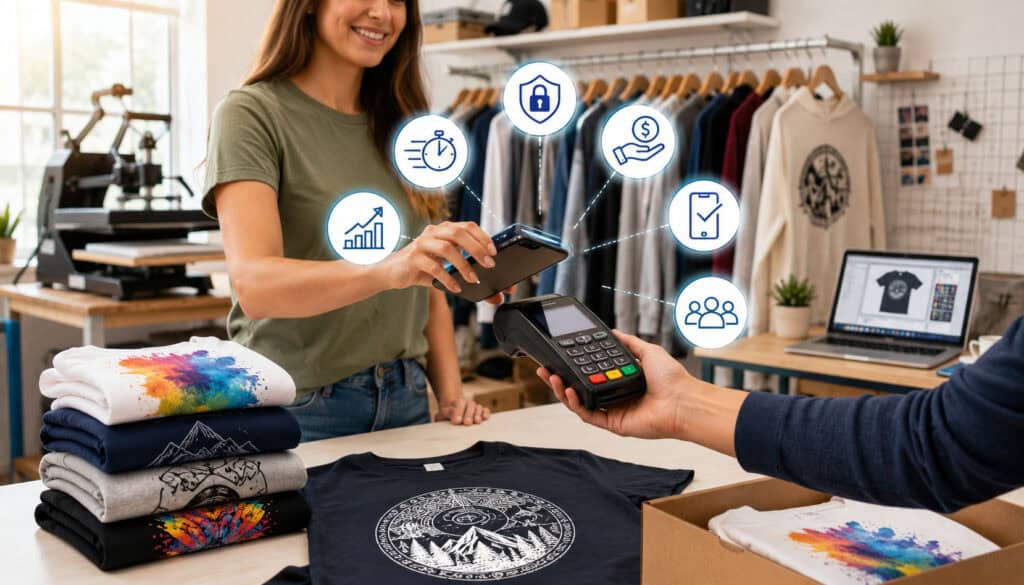
Mobile payment processing for custom apparel businesses offers practical benefits across sales, operations, and customer service. It helps decorators get paid faster, reduce missed payments, and support flexible selling environments.
The most immediate benefit is faster checkout. At events, customers can pay with a chip card, tap card, or mobile wallet in seconds. In the shop, staff can collect payment away from a fixed counter. During pickup or delivery, final balances can be processed before the order changes hands.
Another benefit is improved cash flow. Deposits collected upfront can help cover blank garments, thread, vinyl, ink, screens, and labor. Final balances collected before release reduce the time your business spends chasing unpaid invoices.
Mobile tools also create more sales opportunities. A decorator can sell at trade shows, pop-up shops, school events, team fittings, corporate wellness days, festivals, and community fundraisers. With mobile card payments, customers do not need to plan ahead with cash or checks.
For customers, mobile payment options feel convenient and professional. They can tap, insert, swipe, pay through a link, or complete an online invoice. That flexibility can make your shop easier to work with than competitors that rely on slower payment methods.
Operational benefits include:
- Better records for deposits and balances
- Easier reconciliation after events
- Reduced manual entry
- Faster payment confirmation
- More accurate tax collection
- Cleaner customer communication
- Stronger documentation for disputes
- Better tracking of event revenue
Mobile POS systems for apparel decorators can also help standardize staff behavior. When everyone uses the same system to collect deposits, send receipts, and record order notes, fewer details fall through the cracks.
For deeper payment workflow planning, a guide on handling rush orders, artwork approvals, and deposits can be useful.
Payment Security for Mobile Credit Card Readers
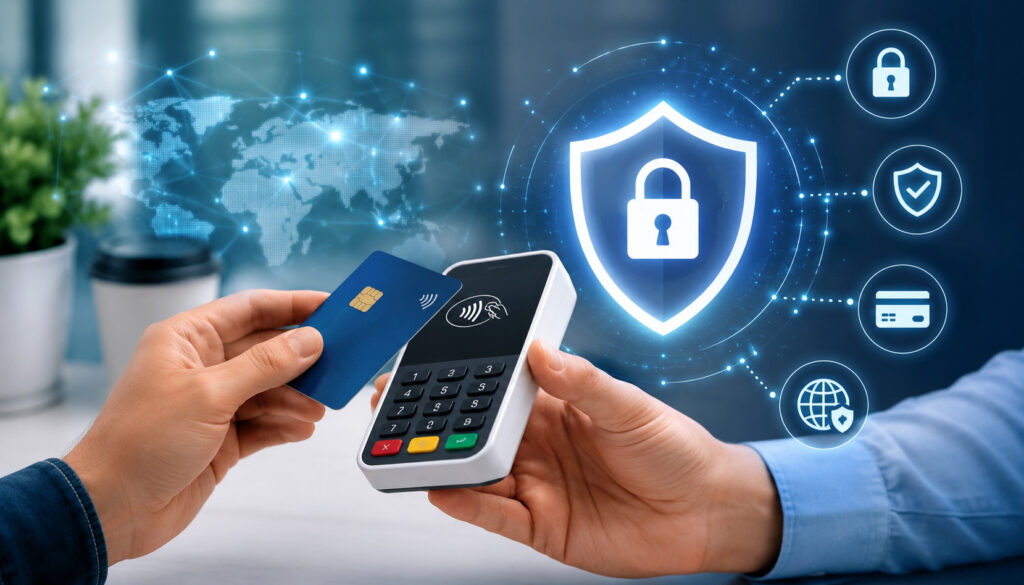
Payment security is one of the most important reasons to use mobile credit card readers for apparel decorators instead of handwritten card forms, copied card numbers, or unsecured messages. Custom apparel businesses may handle repeat clients, large orders, school groups, teams, and corporate buyers, so trust matters.
Secure mobile payments typically rely on encrypted card readers, tokenization, controlled access, and PCI-aware workflows. Encryption helps protect card data during the transaction. Tokenization can replace sensitive card details with a secure token for approved future use, reducing the need to handle raw card numbers.
A secure workflow also means staff should not write down card numbers, store card photos, or ask customers to send card details by text, chat, or email. These habits create unnecessary risk. A mobile reader, secure invoice, or payment link is a better option.
The PCI Security Standards Council explains that businesses accepting payment cards are responsible for protecting cardholder data and following applicable security requirements. You can review its overview of payment security responsibilities through the PCI Security Standards Council.
Security features to look for include:
- EMV chip support
- Contactless payment support
- Encrypted card readers
- Tokenized card-on-file options
- Staff-level permissions
- Refund controls
- Password or biometric app access
- Transaction logs
- Device update support
- Secure online invoices and payment links
User permissions are especially important if multiple employees, event helpers, or seasonal staff accept payments. Not everyone needs access to refunds, reports, customer records, or settings.
Refund controls matter too. Custom apparel often has special refund rules because decorated goods may not be resellable. Your system should let authorized users issue refunds while keeping a record of who processed the refund and why.
Protecting Customer Card Data
Protecting customer card data begins with reducing how much sensitive information your business touches. The safest approach is to let secure payment tools handle card data rather than collecting it manually.
When a customer taps or inserts a card into a secure reader, the transaction can be encrypted and processed through approved systems. This is safer than taking a card number over a handwritten form, storing it in a notebook, or asking the customer to send it through an unsecured message.
Manual card entry may still be necessary in some limited cases, but it usually carries more risk and may cost more. It can also increase the chance of keying errors, fraud reviews, or disputes. For in-person payments, chip and contactless acceptance are generally better choices.
Apparel decorators should also protect devices used for payments. Phones and tablets should have screen locks, updated operating systems, strong passwords, and restricted app access. Staff should not share logins or process payments on personal devices without clear controls.
Customer trust is part of the sale. A clean payment process tells customers their order and card information are being handled professionally.
Reducing Chargebacks and Disputes
Chargebacks are especially frustrating for apparel decorators because custom products often cannot be resold. A disputed embroidered jacket, personalized uniform, or screen printed bulk order may represent garment cost, setup time, artwork labor, and production capacity that cannot be recovered.
Mobile payment systems can help reduce disputes when they are used with strong documentation. Itemized invoices, proof approvals, signed order forms, delivery records, pickup confirmations, and digital receipts all help show what the customer ordered and agreed to pay.
Your documentation should answer basic questions:
- What was ordered?
- What artwork was approved?
- What sizes, colors, and quantities were selected?
- What deposit was paid?
- What balance remained?
- When was the order completed?
- How was it delivered or picked up?
- What refund or change policy applied?
Disputes often happen when expectations are unclear. A customer may misunderstand turnaround time, garment color, logo size, placement, or refund eligibility. Clear invoices and approvals reduce that risk.
For more practical prevention steps, see this guide on preventing chargebacks and disputes in embroidery sales.
Costs and Fees to Consider
Mobile credit card readers for apparel decorators can look inexpensive at first, but the full cost depends on processing fees, software fees, hardware costs, transaction type, and business volume. Before choosing a system, compare the total cost rather than only the price of the reader.
Card-present payments usually happen when the customer taps, inserts, or swipes a card in person. These transactions often cost less than card-not-present payments because the card and customer are physically present. Card-not-present payments include online invoices, payment links, keyed-in transactions, and remote orders.
Apparel decorators commonly need both. A pop-up booth may rely on card-present mobile payments, while a corporate uniform order may involve an online invoice. Your pricing should account for both transaction types.
Common fees include:
- Card-present processing fees
- Card-not-present processing fees
- Hardware purchase or rental costs
- Monthly software fees
- Payment gateway fees
- Statement or service fees
- Chargeback fees
- Batch or settlement fees
- PCI-related fees where applicable
- Optional add-on fees for reporting, inventory, or ecommerce tools
Settlement timing is another factor. If you need cash flow to order blanks quickly, understand when funds will reach your bank account. Some providers offer faster funding options, while others follow standard settlement timelines.
Hardware costs can vary from low-cost mobile readers to more expensive smart terminals. A basic reader may be enough for a solo embroidery business, while a busy screen printing shop may need multiple readers, receipt printers, or a more advanced POS system.
Monthly software fees may be worth paying if they help with invoicing, customer profiles, staff permissions, reporting, and inventory notes. However, a part-time decorator may prefer a simpler setup with fewer fixed costs.
A detailed breakdown of related cost categories is available in this guide to payment processing fees for embroidery shops.
How to Choose Portable Credit Card Readers for Embroidery Businesses
Choosing portable credit card readers for embroidery businesses starts with understanding how your shop actually sells. A home-based embroidery business that takes deposits at craft fairs has different needs from a multi-employee screen printing shop handling large corporate orders.
Begin with sales volume. If you process a small number of payments each month, a simple mobile reader with no heavy software commitment may work. If you process steady volume or large average tickets, compare pricing models carefully because small rate differences can add up.
Next, consider where payments happen. If you sell at trade shows, pop-up shops, tournaments, or community events, battery life and connectivity matter. A reader should hold a charge, pair reliably, and work with your phone, tablet, or portable terminal.
Order size is also important. Larger custom orders may require deposits, partial payments, online invoices, and detailed receipts. Make sure your system supports those workflows without forcing you into manual tracking.
Evaluate these factors:
- Average monthly card volume
- Average order value
- Number of events per month
- Need for deposits and balances
- In-person versus remote payments
- Ecommerce or website integration
- Accounting integration
- Mobile connectivity and offline options
- Receipt preferences
- Reporting needs
- Staff access controls
- Refund permissions
- Customer support availability
- Hardware replacement process
Receipt options deserve attention. Email and text receipts are convenient, but some events may require printed receipts. If your customers include schools, organizations, or corporate buyers, they may need itemized documentation for reimbursement or purchasing records.
Support is another major factor. If a reader fails during a busy event, you need fast help. Look for clear support hours, replacement options, setup help, and documentation.
Finally, test the system before relying on it. Create sample products, process test transactions, issue a refund, send an invoice, and review reports. It is better to find limitations before a booth line forms.
Common Mistakes Apparel Decorators Should Avoid
One common mistake is choosing a mobile reader based only on device price. A free or low-cost reader may seem attractive, but processing fees, software limitations, weak reporting, poor support, or missing invoice tools can cost more over time.
Another mistake is relying too heavily on manual card entry. Keyed transactions may be convenient when a customer is remote, but they can cost more and carry greater risk than secure in-person card acceptance or payment links. For remote payments, online invoices and secure payment links are usually better than taking card numbers by message.
Skipping deposits is another costly issue. Custom apparel businesses often spend money before production begins. Without a deposit, a canceled order can leave you with unusable blanks, wasted setup time, and lost production capacity.
Vague invoices also create problems. An invoice that simply says “shirts” or “embroidery job” does not clearly document what the customer approved. Itemized invoices help prevent confusion and support your position if questions arise later.
Weak refund policies are another risk. Custom decorated goods may not be returnable unless there is a production error. Your policy should explain when refunds, reprints, credits, or changes are available.
Avoid these mistakes:
- Choosing only by reader price
- Ignoring card-not-present fees
- Writing down card numbers
- Taking large custom orders without deposits
- Using vague invoices
- Starting production without approval
- Releasing orders before final payment
- Failing to test readers before events
- Letting all staff issue refunds
- Not reconciling event payments daily
- Mixing personal and business payment accounts
- Forgetting backup power or connectivity options
Poor documentation can also hurt. Keep artwork approvals, order forms, receipts, delivery notes, and customer communication organized. Apparel decoration merchant services should support this workflow, but your internal process matters too.
Best Practices for Using Mobile Card Readers
Mobile card readers work best when they are part of a consistent payment process. Before an event or busy sales day, charge all devices, update apps, test connectivity, and confirm that the reader pairs correctly with your phone or tablet.
Set up your product catalog in advance. Add common items such as embroidered hats, polos, patches, hoodies, screen printed shirts, vinyl names, numbers, rush fees, setup charges, and design fees. Quick-select items reduce checkout time and help staff avoid pricing mistakes.
Use itemized invoices whenever possible. Custom apparel orders should show quantities, garment details, decoration method, placement, setup fees, deposit amount, and remaining balance. This helps customers understand what they are paying for.
Require deposits for custom work, especially when you must order blanks or begin design preparation. Deposits protect cash flow and confirm customer commitment.
Send receipts automatically. Digital receipts help customers keep records and give your business a transaction trail. For larger orders, attach or reference order forms and artwork approvals.
Reconcile payments daily. After an event, compare POS totals with orders, deposits, refunds, and expected settlement amounts. This helps catch errors while the details are still fresh.
Train staff on the system. Everyone who accepts payments should know how to process sales, send receipts, handle declined cards, apply discounts, record notes, and follow refund rules.
Best practices include:
- Charge readers before events
- Bring backup power
- Test Wi-Fi or mobile data
- Use secure payment links for remote customers
- Avoid handwritten card forms
- Require deposits for custom orders
- Send itemized receipts
- Reconcile sales daily
- Limit refund permissions
- Document artwork approvals
- Tag sales by channel or event
- Keep customer records updated
- Review fees monthly
For an added layer of professionalism, create standard payment scripts. Staff can explain deposits, balances, and receipts consistently without sounding uncertain.
What are mobile credit card readers for apparel decorators?
Mobile credit card readers for apparel decorators are portable devices that allow embroidery shops, screen printers, vinyl decorators, heat press businesses, and custom apparel sellers to accept card payments through a phone, tablet, or wireless terminal.
They can support chip cards, swipe cards, contactless payments, and mobile wallets. Many systems also include mobile POS tools for receipts, invoices, customer records, refunds, taxes, and reporting.
For decorators, these readers are useful because payments often happen outside a fixed checkout counter. You may need to collect deposits at events, final balances during pickup, or card payments during delivery.
Can embroidery businesses use portable card readers at events?
Yes. Portable credit card readers for embroidery businesses are especially useful at trade shows, craft fairs, school events, sports tournaments, pop-up shops, and corporate events.
They let you accept payment for finished goods, custom orders, samples, patches, hats, uniforms, and personalization services. Instead of asking customers to pay later, you can collect deposits or full payments while they are ready to buy.
Before events, test your reader, charge devices, confirm connectivity, and preload common products into your POS app.
Are mobile payment systems secure for custom apparel businesses?
Mobile payment systems can be secure when they use encrypted readers, tokenization, secure apps, user permissions, and PCI-aware workflows. They are usually safer than writing down card numbers or accepting card details through unsecured messages.
Security also depends on staff behavior. Use strong passwords, updated devices, limited permissions, and clear refund controls.
Custom apparel businesses should avoid storing raw card details. Use secure mobile payments, payment links, or online invoices instead.
Can mobile readers accept deposits?
Yes. Many mobile POS systems for apparel decorators can accept deposits for custom orders. Some systems allow partial payments directly on invoices, while others let you charge a deposit as a separate transaction and record the remaining balance.
Deposits are helpful for covering blank garments, thread, vinyl, ink, setup time, digitizing, and production scheduling. They also reduce the risk of abandoned custom orders.
For best results, show the deposit amount, balance due, approval terms, and refund policy on the invoice or order form.
What fees should apparel decorators expect?
Apparel decorators may pay card-present processing fees, card-not-present fees, hardware costs, monthly software fees, gateway fees, chargeback fees, and optional feature fees.
Card-present transactions, such as tap or chip payments through a reader, often have different pricing than online invoices, payment links, or keyed transactions.
The right pricing model depends on your sales volume, average order size, and mix of in-person and remote payments. Review total monthly processing costs, not just one advertised rate.
Do mobile POS systems support invoices and payment links?
Many mobile POS systems support payment links and online invoices. These tools are useful for deposits, final balances, remote approvals, reorders, rush fees, and add-on charges.
For apparel decorators, invoices should be itemized. Include garment details, decoration method, quantities, setup fees, artwork charges, taxes, deposits, and balances.
Payment links are also safer than asking customers to send card numbers through text or email.
How can apparel decorators reduce chargebacks?
Apparel decorators can reduce chargebacks by using clear order forms, itemized invoices, written artwork approvals, deposit policies, digital receipts, delivery confirmations, and documented customer communication.
Custom orders should not begin until the customer approves the design, garment details, quantity, price, and timeline. Refund policies should be visible before payment.
Mobile payment records help, but they work best when paired with strong production documentation.
What features matter most in a mobile card reader?
The most important features include chip and contactless support, mobile wallet acceptance, reliable connectivity, secure processing, invoicing, payment links, digital receipts, refund controls, reporting, and customer records.
For apparel decorators, custom notes are also important. Your system should help track sizes, colors, garment types, thread colors, artwork placement, deadlines, and payment status.
A good mobile card reader should fit your sales workflow, not force your shop to work around limited payment tools.
Conclusion
Mobile credit card readers for apparel decorators help custom apparel businesses collect payments wherever sales happen.
Whether you run an embroidery shop, screen printing business, heat press setup, vinyl decoration service, uniform program, trade show booth, or pop-up shop, mobile payment tools make it easier to accept deposits, capture event sales, collect final balances, and reduce unpaid invoices.
The best setup supports more than card acceptance. It should help with mobile card payments, secure mobile payments, contactless payments, payment links, online invoices, digital receipts, refunds, customer records, and reporting.
For apparel decorators, payment tools should match the way custom work actually happens. Orders may begin at an event, continue through artwork approval, require a deposit, change before production, and finish with pickup or delivery. A reliable mobile POS system keeps those payment steps organized.
Choose secure devices, use clear invoices, document approvals, require deposits for custom work, train staff, and review reports regularly. With the right mobile payment processing setup, apparel decorators can sell more confidently, protect cash flow, and give customers a smoother, more professional payment experience.